QuadraBay equivalency status is only half the picture. Degree recognition in the UAE runs in two separate stages, and each one is tracked in a different place: verification with an approved partner such as QuadraBay or DataFlow, then the recognition request with the Ministry of Higher Education and Scientific Research (MOHESR). Many applicants look for their result in the wrong portal, so this guide shows where to track each stage, which number you need and what to do if your application stalls.
Last updated: 16 November 2026
Key takeaways
- Your QuadraBay equivalency status is tracked in your QuadraBay account under Track my Application.
- DataFlow applications are tracked with your case number on DataFlow’s MOHESR tracking portal.
- Once the verification report is issued, you enter its number and your date of birth on the MOHESR portal to request recognition.
- The recognition decision arrives by email and can be downloaded from your Ministry account.
- The most common causes of delay are waiting for the university to respond and requests for extra documents.
Table of Contents
Why does your equivalency have two statuses?
Because recognition happens in two consecutive stages, each with its own authority and tracking number:
| Stage | Who handles it | Where to track it | What you need |
|---|---|---|---|
| 1. Degree verification | QuadraBay | Your QuadraBay portal account, Track my Application | The account you applied with |
| 1. Degree verification | DataFlow | DataFlow’s MOHESR tracking portal | Your case number |
| 2. Degree recognition | MOHESR | The Ministry portal and your email | UAE PASS and the verification report number |
For documents, approved partners and the full application steps, see our UAE degree equivalency guide.
How to check your QuadraBay equivalency status
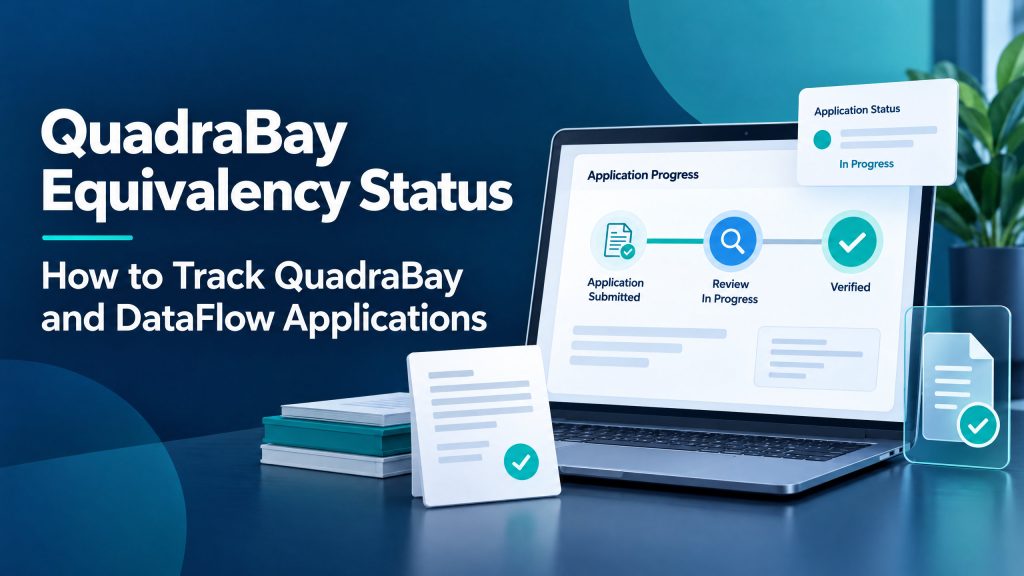
- Log in to the QuadraBay portal with the same account you applied with.
- Select Track my Application, or open the Submitted section on your dashboard.
- Check the latest update on the application and any request for extra documents.
- Once verification is complete, you receive the report number you need for the second stage.
QuadraBay emails a payment receipt once the application is complete, and explains the application and tracking steps on its MOHESR application page.
How to check your DataFlow application status
- Open DataFlow’s MOHESR tracking portal from the Track Status button on the MOHESR page of the DataFlow website.
- Enter the case number you received when you applied.
- If you applied on or before 31 August 2024, DataFlow directs you to dataflowstatus.com instead.
- When verification is complete, DataFlow issues the Degree Verification Document that the Ministry relies on.
For help, DataFlow runs a support centre for MOHESR applications where you can raise a ticket.
How to track recognition on the MOHESR portal
This is the second stage, and it only starts once your verification report is issued:
- Log in to the Ministry of Higher Education and Scientific Research portal with UAE PASS.
- Choose the service for recognition of higher education qualifications issued outside the UAE.
- Enter the verification report number and your date of birth so your details fill in automatically, then pay the fees.
- Follow the request from your account. The recognition decision is sent by email and can be downloaded from your account.
Why is your equivalency status delayed?
- Waiting for the university: the partner contacts your university directly, and this step usually decides how long the application takes.
- Extra documents requested: the application pauses until you upload what is missing.
- Mismatched details: for example, a different name on the degree and the passport.
- Starting stage two too early: the Ministry portal needs a completed report number.
What to do if your application stalls
- Check your email, including the spam folder.
- Open the application in the partner portal and check for a document request.
- Contact your university and ask it to respond to the verification request, which can speed up the stage.
- Contact the partner’s support with your application number.
- Do not apply again with another partner before asking what happens to your current application and the fees you paid.
What to do once your equivalency status is complete
When the recognition decision reaches your email, download the recognition report from your Ministry account and keep a copy. It is the official reference that employers, universities and some government bodies in the UAE ask for. Once you have it, you no longer need to check your QuadraBay equivalency status.
- Check that your name and degree details in the report match your passport before you use it.
- Share the report number with your employer or university if they ask for it.
- If your profession needs a professional licence, such as healthcare, academic recognition is a separate step from licensing, so check the requirements of your regulator.
Common mistakes
- Looking for the recognition decision in the partner portal, or for the verification report on the Ministry portal.
- Logging in with a different account from the one you applied with.
- Losing the case number or report number.
- Ignoring emails asking for extra documents.
FAQs about QuadraBay equivalency status
Where do I check my equivalency status after applying?
Verification is tracked in the partner portal (QuadraBay or DataFlow), and recognition on the MOHESR portal and by email.
What number do I need to track a DataFlow application?
The case number you receive when you apply.
Can I apply for recognition before verification is complete?
No. The Ministry portal needs the completed verification report number from the approved partner.
How do I receive the recognition decision?
By email, and you can download it from your account on the Ministry portal.
What usually delays the application?
Most often, waiting for the university to answer the verification request, or a request for extra documents that has not been uploaded yet.
Official sources: QuadraBay, MOHESR applications, DataFlow, Ministry of Higher Education and Scientific Research.